
Manager Free
The best iTunes alternative
Transfer music from a computer to an iPhone
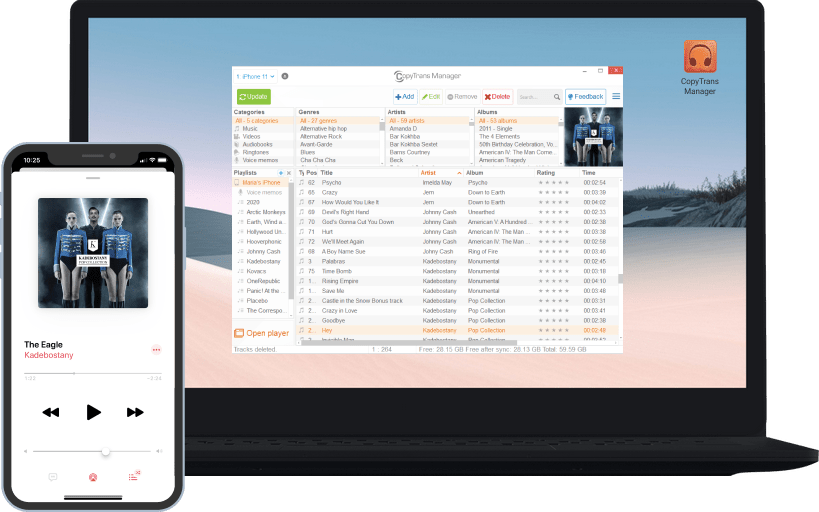
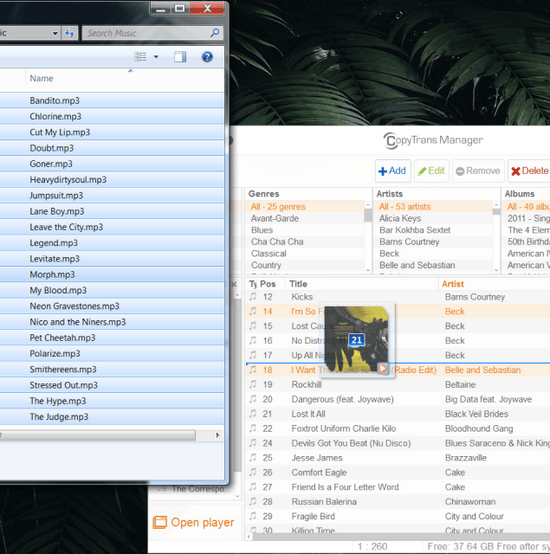
You can simply drag and drop the tracks from your computer directly to your iPhone using CopyTrans Manager. You can put songs, videos, ringtones, podcasts or books to any iPhone, iPod or iPad without synchronising it with iTunes.
Customize your music library
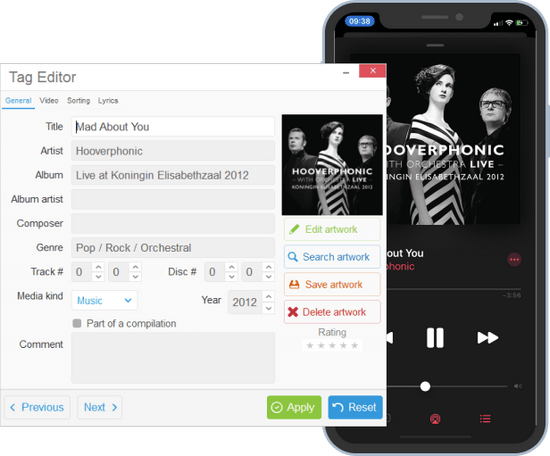
Edit track titles, music genre, album titles and artworks in just a few clicks. Take full control over meta-tags, ratings, and even lyrics of your favorite songs.
Manage your playlists
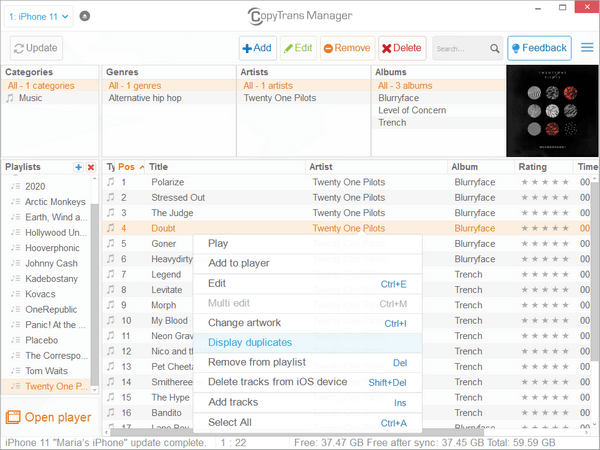
With CopyTrans Manager you can add, delete or change the order of the songs. You can also detect and delete duplicates in just a few clicks.
Compatible with Apple Music
The latest version of CopyTrans Manager is compatible with Apple Music! You can now create playlists out of your Apple Music tracks directly from your computer.
Featured in
Here are some publications about us




Try CopyTrans Manager now!
DownloadSecure & always compatible
The application works with all iOS versions and all iPhone and iPod models, including those without iOS.
Try it for yourself!
Safety and Security
CopyTrans Manager is renowned as a secure and stable application that is, like all other CopyTrans programs, free from ad, spy or malware.