
CopyTrans TuneSwift

Transfer, back up and restore iTunes library
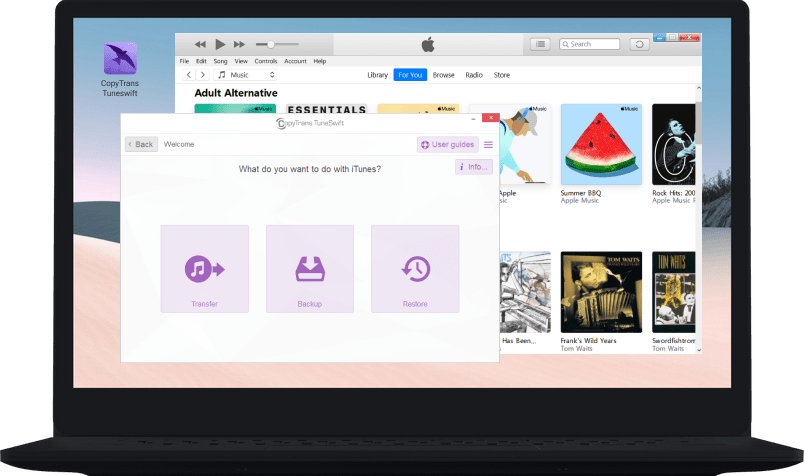
Back up your iTunes library to a hard drive

Create incremental iTunes library backups

Transfer your iTunes library to a new PC

CopyTrans TuneSwift interface

Back up your iTunes library

Create an exact copy of your iTunes library in one click and keep it safe in case you lose iTunes after a Windows update or in a PC crash. Make regular incremental backups instead of full backups to save disk space
on your PC.


Restore your iTunes music library to a PC

CopyTrans TuneSwift restores the iTunes backup you made on your old PC to your new PC. You’ll get an exact copy of the iTunes library you used to have on your old machine including your music, videos, films, podcasts, etc.
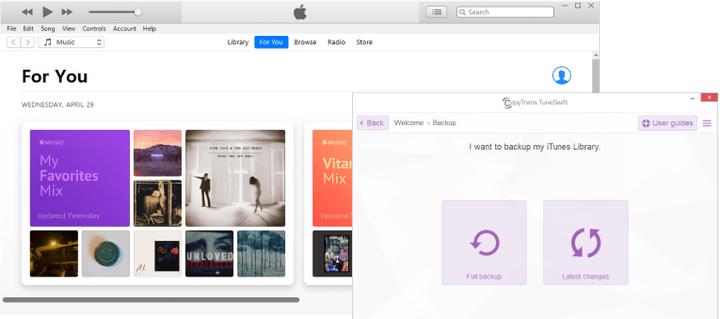
Back up iTunes library with CopyTrans TuneSwift

Transfer your iTunes library
to an external drive

Not enough disk space on your PC? Migrate your entire iTunes library to another disk or to an external drive to free up space. Ready to switch from an old PC or from Windows 7 to Windows 10? CopyTrans TuneSwift will transfer your iTunes library to a new computer.
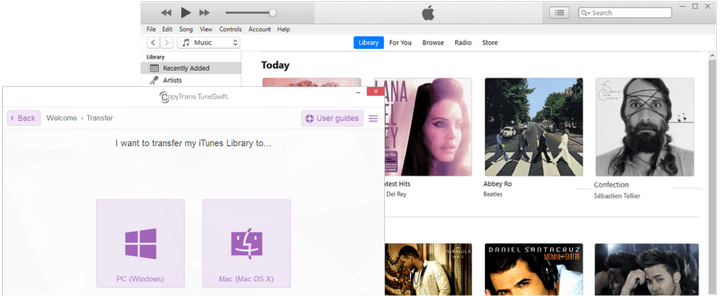
Transfer iTunes library to another PC

Featured in

Here are some publications about us


What people say about
CopyTrans TuneSwift:

4.0 out of 5 based on 655 User Reviews
Used this to copy a large itunes library from a Windows 10 to a new Windows 11 computer. Tried by just copying the C: drive music folder for itunes from 10 to a portable drive then to the 11. I knew copying to the portable worked because every few months I would back up my library to it. But I had no luck moving from the portable to the 11 where it was able to be detected by itunes. So, for fifteen bucks I gave this TuneSwift a shot. A little tricky but if you follow to the letter their instructions for copying (not transferring) it worked. My library was 269 gigs so we're talking hours to copy but that's to be expected. This software made life a lot easier.
1 week ago
Chicago, United States
I have transferred a substantial iTunes library and playlists from PC to PC four times now and this has been the easiest by far, and the cheapest of the paid attempts. My iTunes Library has tracks from a number of sources and some could not be detected or transferred, but except for that, the process was extremely easy and accurate. Well worth the cost and time.
2 months ago
San Francisco, United States
Great product!
3 months ago
Dover, United States

See more reviews

Try CopyTrans TuneSwift now!

Download

Secure & always compatible

Safety and Security

CopyTrans TuneSwift is renowned as a secure and stable application that is, like all other CopyTrans programs, free from ad, spy- or malware.

Compatibility

CopyTrans TuneSwift was designed for Windows 11, 10, 8.1, and 7.