iPhone Contacts Made Simple
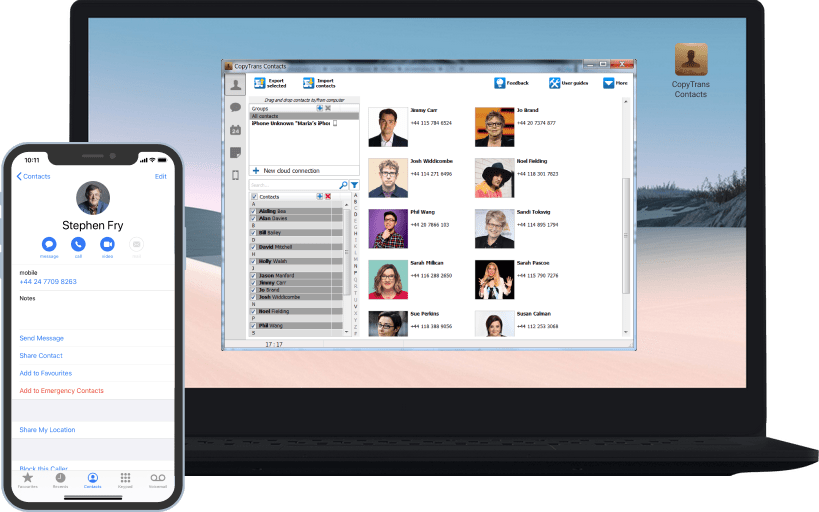
CopyTrans Contacts makes managing your iPhone contacts breathtakingly easy.
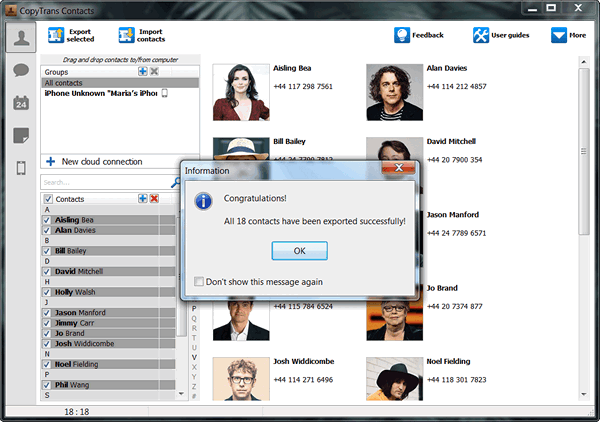
Organise, edit and delete contacts quickly. Back up and export contacts onto your PC.
CopyTrans Contacts makes managing your iPhone contacts breathtakingly easy.
Organise, edit and delete contacts quickly. Back up and export contacts onto your PC.
CopyTrans Contacts is the safe and easy solution to manage sensible iPhone data. In no time at all you will save, edit and transfer your iPhone contacts, calendars and much more.
Use your PC keyboard to edit, group and clean up your iPhone contacts quickly. Transfer your contacts from and to iPhone, Outlook, Gmail, iCloud, Excel, Windows, Android, BlackBerry, Thunderbird, Hotmail and Yahoo! or keep full backups of your iPhone address book on your PC.
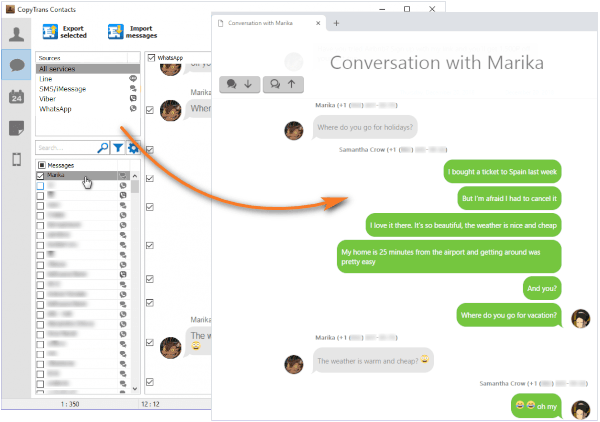
CopyTrans Contacts makes it easy to archive important conversations. Save your SMS, iMessages or even WhatsApp messages to your PC in just a few clicks.
Alongside with your iPhone messages all attachments like photos, videos and contact files will be saved to the PC. You also have the choice between different backup formats like Word, Excel, Plain Text, CSV or HTML. Just start CopyTrans Contacts, connect your iPhone to your PC, select the iPhone text messages to back up and click "Export selected". That's it! You can now easily read, print and share your iPhone text messages on your computer.
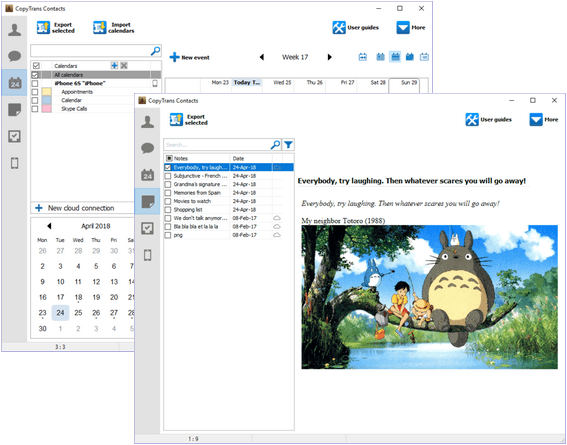
CopyTrans Contacts gives you full control over your iPhone calendar. View all your events on your PC screen and easily back up, transfer, add, edit and remove calendars or events.
You are synchronizing your iPhone calendar with Gmail, iCloud or Yahoo? CopyTrans Contacts is the place for all your calendars. Manage different cloud calendars, copy events directly from one cloud service to the other and transfer calendars and events from and to Outlook. A few clicks only and you'll be all set.
With CopyTrans Contacts you will get the most out of your iPhone notes. Quickly add or edit notes via your PC keyboard and use the numerous text-formatting options to highlight important passages of text, underline a word and write in bold or italics.
If you want to export or import iPhone notes from and to Outlook, you can do so in 3 clicks only. Move notes from iCloud directly to Gmail or Yahoo and import cloud notes to your iPhone. Finally, one place for all your notes!
CopyTrans Contacts lets you manage, back up and restore your iCloud reminders from your PC. Add, edit and remove task lists and individual tasks in a few clicks.
Organize your day, a project, a journey or simply set up a shopping list. With CopyTrans Contacts you can add new reminders, set priorites, close completed ones and define the time when you want to be reminded of a specific task. Forgetting about Valentine's Day or anniversary gifts now is a thing of the past.
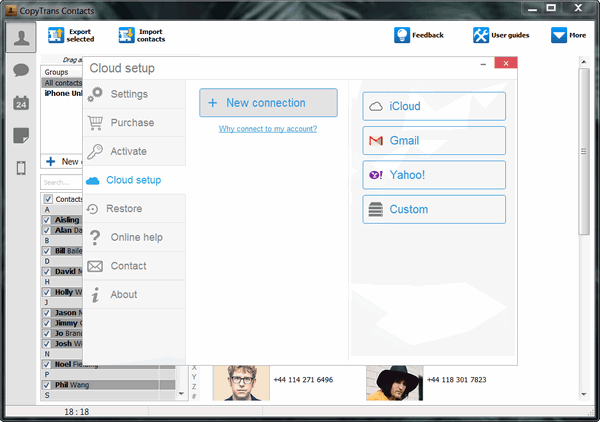
Cloud services are already ubiquitous in our everyday life and quite convenient to use. Nevertheless, concerns about user privacy as well as the protection of data exist and some people might prefer not using cloud solutions extensively.
With CopyTrans Contacts you have got the choice. Manage and back up sensible iPhone data offline or connect to the cloud and enjoy managing different cloud services in one place. Transferring contacts, calendars and notes from one cloud service to the other is as easy as one, two, three.
My wife & I are first time smartphone / iPhone users so I had to combine her old phone contacts, my phone contacts and also our Thunderbird email contacts all into one. This product helped import all three (our phone contacts were in iCloud originally). I had to do a lot of manipulation at first but that was due to being a 1st time smartphone user and not having all the data in one area. All set now though!
CopyTrans Contacts did exactly what I needed it to do, and it did a great job at it. Pulled all my contacts off my phone (Exchange, Yahoo, & iCloud). Worth every penny!
By the way, we continuously update CopyTrans Contacts and add new features too.
Just download the latest version and try it out.
Download CopyTrans Contacts v1.130 | 4.3 MB
CopyTrans Contacts supports all iPhone, iPad and iPod Touch models and was designed for Windows 7, 8, Vista and XP.
Supported file formats: vCard, CSV, Contact, iCalendar, Excel, Word, HTML and plain text.
CopyTrans Contacts is renowned as a secure and stable application that is, like all other CopyTrans programs, free from ad, spy or malware.
User feedback
I am an IT Director for a company involved in acquisitions. CopyTrans makes it easy to migrate Microsoft Exchange contacts from a user who no longer has access to his or her former Exchange server.
CopyTrans does exactly what it claims. Excellent programming, beautiful and simple interface. Certainly deserves five stars and is definitely worth $15.