Transfer iPod to computer
Copy iPhone to iTunes

CopyTrans is an easy solution to transfer music, videos, apps, playlists, etc from iPhone, iPad and iPod to PC or iTunes.

Download

CNET Editors' Rating CNET Editor's Rating : Outstanding

 
easy

Easy

Transfer your iPhone content back to iTunes or your PC in one click.

smart

Smart

Import only what needs to be imported. No duplicates, no hassle.

safe

Safe

Backup iPhone to PC and save tracks, playlists, artworks and tags.

Easy iPhone Backup

Back up iPhone, iPad or iPod content to PC or iTunes

Save your iPod songs, videos, apps and iPhone playlists to external drives or to your PC. Once needed, you can easily restore your iTunes library with music, videos, apps, playlists, artworks and metadata from your iPod, iPhone or iPad.

iphone to pc

Copy iPhone to iTunes

Transfer iPhone, iPad or iPod content to PC

Keep iPhone and iTunes in sync and transfer music, apps, videos, movies, podcasts, audiobooks, books, ringtones, playlists, artworks, ratings etc from your iPhone back to your iTunes library.

from ipod to computer

Import your music, playlists and ratings easily

Restore your iPhone music to PC, in one click

Our "Smart-Backup" feature will transfer missing iPhone tracks to iTunes and keep your iTunes library free from duplicates. It will also import your iPod playlists, artworks, ratings etc automatically.

iphone backup
transfer music from ipod touch to pc

Get music off your iPhone back into iTunes

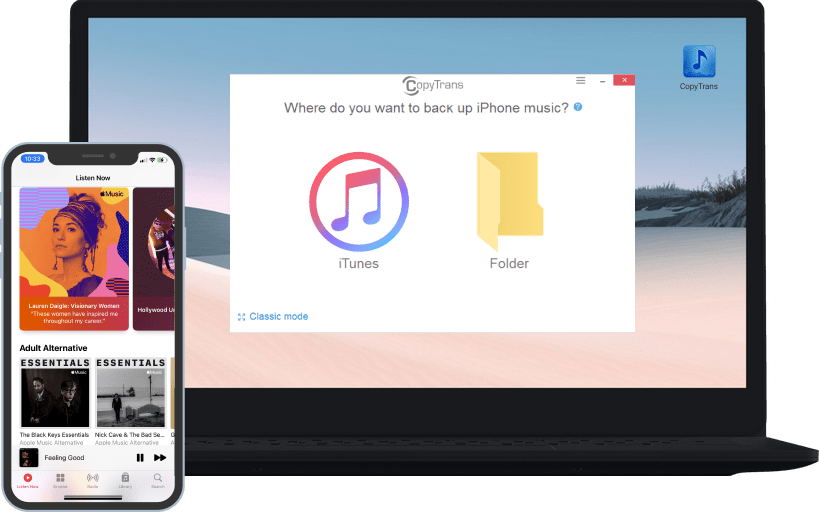
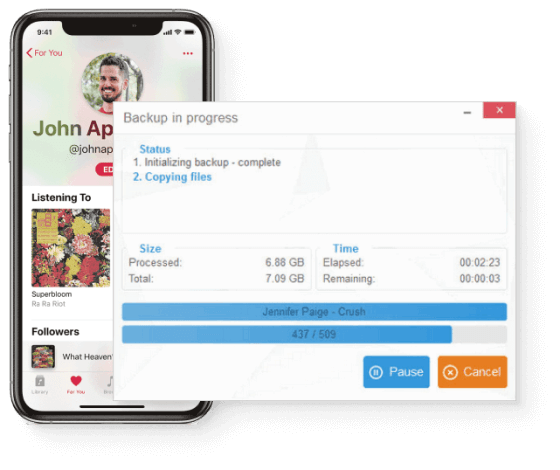
CopyTrans makes it easy to recover iPod music and copies your iPhone content directly to your new or empty iTunes library. Run the application, connect your iPhone and start the backup. In one click all your iPhone music, videos, apps, playlists, artworks, tags etc will be transferred to iTunes and saved in your iTunes media folder.


copy music from iphone to itunes

Back up your iPhone, iPod and iPad content

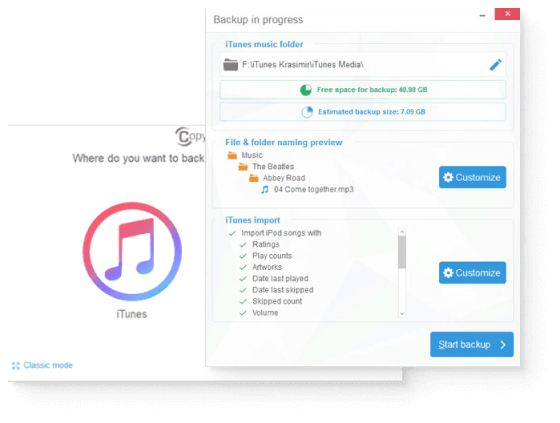
Copy iPod music, videos, playlists, artworks and tags to external hard drives or any folder on your PC. Save your iPhone content to the computer and organize it the way you want. Sort songs and folders based on iPhone track fields like artist, album, genre etc. Once needed, you can simply import your backed up iPhone or iPod content to restore your iTunes library with songs, videos, playlists, artworks and metadata like ratings, date last played etc.


back up iphone music

The smart way to restore your iTunes library

Thanks to our "Smart Backup" feature, CopyTrans matches your iTunes library content with the media on your iPod, iPad and iPhone. It automatically selects and transfers only iPhone tracks that are missing in your iTunes library and updates metadata like ratings, date last played etc. A complete iTunes library without duplicates, it's that easy!

compatibility

Compatibility

CopyTrans supports all iPhone, iPod, iPad models and iOS versions. It has been designed for Windows 7, XP and Vista.

free trial

Try before you buy

Get the trial version of CopyTrans to test the program for free. Satisfied? We would be happy to welcome you as a customer.

faq

How to use?

User guides and tips can be found in our FAQ. Our Support Team is always at your disposal and answers every email within 24 hours.

user feedback

User Voices

"A complete and speedy recovery of all music from an iPod to the iTunes library..." This is one out of many reviews and we are eagerly waiting for yours!

secure

Is it secure?

Over the years CopyTrans got renown as a secure and stable application that is, like all other CopyTrans programs, free from ad, spy or malware.

news

News

Last updated on August 21st, 2012:
Improvements of the interface

Download Back to top